Creating a PDF file using VB.NET
A sample application using PDFBuilderX
This example shows a simple VB.NET application to create a PDF file containing images, graphics and text.
To use this demo, you will need to download two files:
Trial version of the ActiveX control PDFBuilderX. (913kB)
Zip file of VB.NET demo project. (31kB)
Install PDFBuilderX, then extract the VB.NET demo files from pbxdemovbnet.zip, keeping the same directory structure. Start VB.NET, and open the project in solution file 'PBX_Demo_VBNET\PBX_Demo_VBNET.sln'.
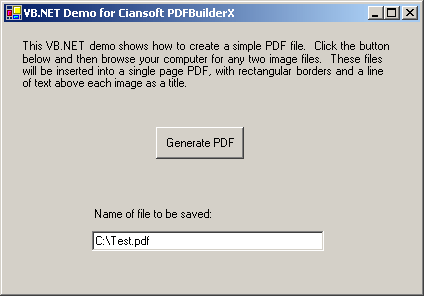
Run the project and click the 'Generate PDF' button. You will be prompted to browse for any two image files which are then saved in a PDF file with some text and rectangular borders added.
VB.NET cannot directly recognise indexed properties of ActiveX controls, such as the ImageHeight property of PDFBuilderX. To access such properties, prefix the name of the property with 'get_' or 'set_' as shown in Sub cmdRun_Click.
A Setup project is included with this demo. To build an installer (.msi file), select PBX_Demo_VBNET_Setup in the Solution Explorer window, then Build/Build PBX_Demo_VBNET_Setup from the menu.